

Somewhere in a shared drive there's a spreadsheet called "Launch_FINAL_v7_ACTUALLY_FINAL.xlsx". It has 200 rows, forty of them are already ticked, and nobody has opened it in three weeks. Launch day is in nine days. That spreadsheet is not a checklist. It's a monument to good intentions.
I know because I've built several of those monuments. And I've also watched a launch go sideways on a Tuesday morning because nobody had written down who was supposed to flip the pricing page live. A blank line in a checklist cost a small team a week of confused support tickets.
So if you're here to learn how to create a product launch checklist for startups, let me save you the spreadsheet graveyard. A good launch checklist is not a document. It's a short list of decisions you can't undo, each of them owned by a name, each with a deadline and a definition of "done."
Key takeaways
- A launch checklist exists to close decisions, not to look thorough. If a row doesn't change a decision or trigger an action, delete it.
- Every item needs three things: an owner, a deadline and an exit criterion. "Prepare messaging" is not an item. "Landing page copy approved by founder by day minus 14" is.
- Startups need a go/no-go gate before launch day, not a post-mortem after it.
- Work backwards from launch day (D-30, D-14, D-7, D0, D+14) rather than forwards from today.
- The post-launch block matters more than the pre-launch one; most teams forget it entirely.
Why a product launch checklist for startups fails before it's written
Ask ten people on the team what "launch" means and you'll get several answers. For engineering it's shipping the build. For marketing it's the announcement post. For the founder it's the moment a payment clears. Those aren't the same event, and the checklist that tries to cover all of them collapses under its own weight.
The fix is a single sentence agreed on by the whole team: "Launch means [X] happens for [Y] by [date]." For example: "Launch means the product is publicly purchasable by any visitor and the first ten customers can complete a purchase without manual help." That sentence is your anchor. Every checklist row must serve it.
What is a startup checklist?
A startup checklist is a short, dated list of what the company must finish before a milestone, with a named person accountable for each line and a clear test for whether it's finished. It's not a project plan, not a Notion page of ideas, and not a status report. Its whole job is to surface the things that would otherwise be forgotten, and to make sure someone is on the hook when they slip. In a startup with less than a dozen people, the person accountable can be the same person for five rows, but the name still needs to be written down.
Let me be blunt about one thing: a checklist is not a sign of process maturity. It's a sign that you've been burned before and don't plan to be burned the same way twice. The best checklists I've seen are ugly, mostly short, and contain lines that only make sense to the person who added them.
How to create a product launch plan that survives real life
Here's the sequence that has worked for me, and it doesn't start with a spreadsheet. It starts with a single page.

- Write the launch definition. One sentence, agreed, above the fold. Everything below serves it.
- Set the date and work backwards. A fixed launch date is not a vanity exercise; it's what turns a vague plan into a list of deadlines.
- List only the rows where a decision is required. Pricing, availability, support hours, legal copy, the domain, the ability to roll back.
- Assign one owner per row. Not a team. One person.
- Write the exit test for every row. What must be true for it to be ticked? Is it a screenshot, a link, a confirmation email?
- Add the go/no-go gate. A meeting or a written check where the founder decides: ship, delay, or ship to a smaller group first.
Notice the sequence puts the gate in the middle, not at the end. The whole point of a launch checklist is to give you the information to make a decision before you've spent money on a campaign you can't pull back.
How to sequence a launch: the D-minus calendar
Forward planning from "today" produces a plan that never catches up. Backward planning produces a plan that forces trade-offs early. Here's a pattern that works for a small team launching an early product:
| Phase | What gets decided | Exit criterion |
|---|---|---|
| D-30 | Launch definition, date, target user, pricing logic | Founder has signed off on the one-sentence definition |
| D-21 | Support plan, refund policy, legal copy, data handling notes | Every page a customer can reach has approved text |
| D-14 | Landing page live behind a private link, payment flow tested end to end with a real card | Two people independently complete a test purchase |
| D-7 | Ready to announce, rollback plan written, on-call rotation agreed | Go/no-go decision recorded in writing |
| D0 | Public launch, announcement goes out, first-day monitoring | Someone is watching the support inbox and the error log |
| D+14 | Measure activation, read the first support threads, decide what to fix first | A written list of what to change next |
Two of those rows are the ones teams skip. The real-card test purchase catches integration failures no staging environment will ever reveal. And the rollback plan is what stops a small mistake from becoming a public incident, because it turns a panic into an action you've already rehearsed.
What are the key activities included in a product launch checklist?
Below is a reasonable set of rows for a small startup selling a software product to a first wave of users. I've deliberately kept it to activities that require a decision or an action; if removing a row would change nothing, it doesn't belong.
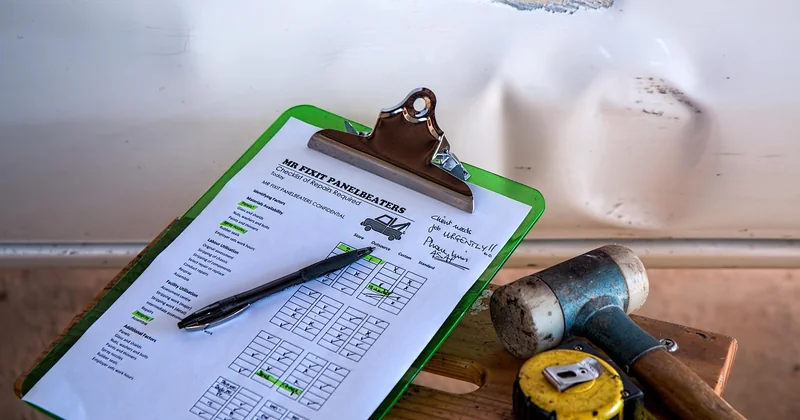
Product and readiness
- Sign-up and login work from a clean browser profile
- Payment flow tested with a real transaction, not a test card
- Error monitoring is on and someone knows where to look
- Data export and account deletion requests documented
Marketing and messaging
- One-paragraph explanation of what the product does, approved by the founder
- Landing page live; the call to action points at a working destination
- Announcement copy drafted and scheduled
- Demo or walkthrough recorded, even if it's a screen recording with your own voice
Support and operations
- Support inbox answered by a named person, with stated hours
- Refund and cancellation process written down in plain language
- Terms of service and privacy note published, reviewed against what the product actually does
- Rollback or deactivation procedure written
Post-launch measurement
- Activation defined in one sentence (what counts as a user successfully getting to first value)
- One dashboard or query answering "how many people completed the core action this week"
- A scheduled session to read user feedback in the first two weeks, on the calendar with a date
How to create a product launch without drowning in rows
Cap the list. My rule for a team of under ten people is somewhere around forty rows in total across every phase, and I've seen longer launches succeed because the list was reviewed weekly and pruned. What matters is that a human reads it. If your list grows past a page or two, split it by phase and archive each phase when it's done. A checklist you don't open is worse than no checklist, because it gives you the false comfort of having written one.
The launch readiness checklist: your go/no-go gate
The gate is the part most templates miss. It isn't a status update. It's a decision point with three allowed outputs: ship as planned, ship to a smaller group first, or delay with a new date. Writing the gate down before launch day gives you permission to choose "smaller group" without it feeling like failure.
And here's where I'll admit my own mistake. On one launch I insisted on a hard date because it was tied to a public announcement, and I pushed through with a payment flow that had only been tested in a staging environment. Nothing catastrophic happened. But the first two customers hit a broken confirmation email, and I spent the morning of launch day in a support thread instead of watching the metrics. The date was never the real constraint. My ego was.
So build your gate around facts you can check in an hour:
- Can a stranger complete the core action without help? Ask two people outside the company.
- Does the support inbox route to a human?
- Is the rollback procedure written and understood by at least one person who isn't the founder?
- Do the published terms match what the product actually does?
If any of those fail, you have your answer. Ship smaller, or delay. Either is fine. Silence is not.
Template, format and where to put the thing
Format matters less than you think. I've run launches out of a shared spreadsheet, a plain list in a project tool, and once out of a single text file pasted into a chat channel. The spreadsheet version worked only because we added a column for owner and a column for the exit test; without those, the tick marks meant nothing.
If you want a starting point, build your own template with these columns, in this order:
- Item — short, imperative
- Owner — one name
- Due — a date, not "soon"
- Exit test — what proves it's done
- Status — not started, in progress, done, blocked
That fifth column earns its keep. "Blocked" tells you more about your launch than any amount of green ticks, because a blocked row is a decision that hasn't been made. Review the blocked rows first in every stand-up, and leave the ticks for last.
Common questions about launch checklists
How long before launch should I start? For a first public launch with a small team, a month is a reasonable window to work backwards from, and if legal copy or payment integration is involved, allow more. If you have two weeks, the checklist shrinks; it doesn't disappear.
Who owns the checklist? One person, usually whoever feels the launch in their calendar. Not a committee. The owner's job is to chase the blocked rows and to call the gate, and to be comfortable being the one who says the date isn't going to hold.
Can I reuse a template from the internet? As a starting point, yes; as a final answer, no. Templates carry someone else's assumptions about what matters. Your rows should serve your one-sentence launch definition, and that sentence is yours alone.
The spreadsheet in the shared drive? It's still there. Somebody eventually opened it, pruned it down to two pages, and added a column for owners. The launch went out a day late. That was the right call.


